Free sailing & SUP speedometer for Apple Watch
Speed, course and time on your wrist, with nothing to hold and no phone in your pocket. Free, made by a sailor.
No Apple Watch? Use the web dashboard on any phone →
The app on the water
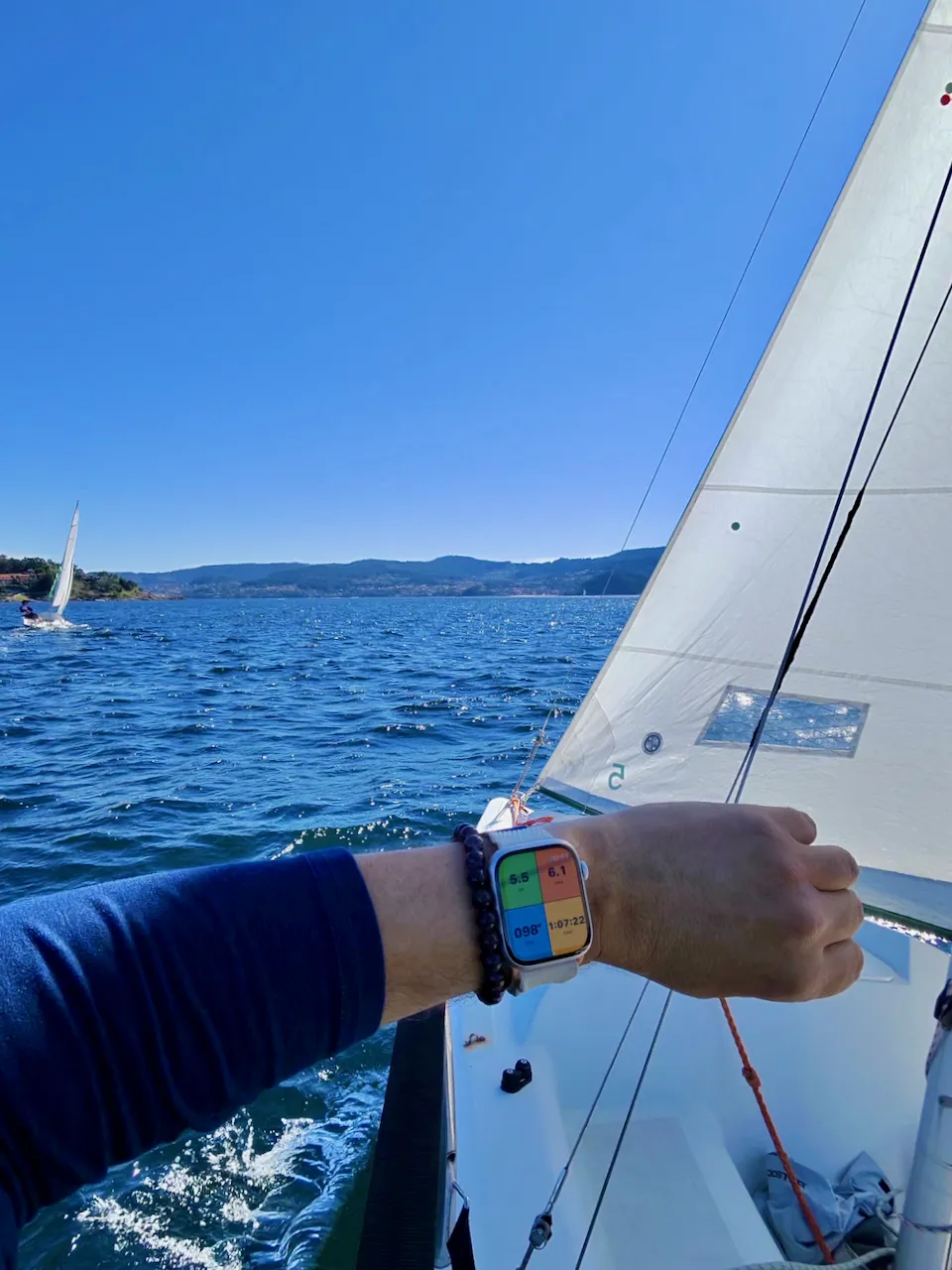
Four numbers you can read in the spray
- KN: your speed in knots, to one decimal. It comes straight from GPS with only about 2 seconds of smoothing, so a real gust shows up instead of being averaged away.
- MAX: your top speed this session. It's based on the smoothed speed, so one bad GPS fix can't fake a record.
- COG: course over ground in degrees true, the direction you're actually moving. With leeway or current it can differ from where the bow points.
- TIME: how long you've been out.
GPS fixes worse than 20 m are thrown out. When you drop your wrist, the screen switches to coloured digits on black and stays readable.
One tap to start
The start screen is two big halves sized for wet fingers. Tap one and you're recording, with no confirmation and no extra screens.
Sail
For sailing, windsurf, wing and kite. Saved to Apple Health as a Sailing workout.
Paddle
For SUP and kayak. Saved as Paddle Sports.
On the water
Water Lock turns on by itself once you start, so splashes can't press buttons. You don't need your iPhone with you.
To finish, hold the Digital Crown to unlock, swipe right and tap End. The summary shows your sport, time and max speed, and stays on screen until you tap Done.
Saved to Apple Fitness
Every session is saved to Apple Health with its GPS route, so you can see the map in the Fitness app. It counts toward your Activity rings, and heart rate and active energy are recorded the same way as any other workout.
Started by accident? Sessions under 2 minutes can be discarded right from the Watch.
The iPhone app
The iPhone app doesn't track anything. It's a short getting-started guide: it checks whether the Watch app is installed, explains the two tiles, and links to the free web tools.
Your sessions stay yours
No servers, no accounts, no ads, no analytics. The app has no networking code: your sessions go to Apple Health on your own devices and nowhere else. Read the privacy policy →
Requirements
Apple Watch Series 9 or later. Free on the App Store.
Check the wind first: Weather → · No Watch? Web dashboard →
Questions? We've got answers.
I "purchased" the app but I can't find it on my Watch +
Method 1: directly on the Apple Watch (the "Purchases" menu)
If you want to download it directly from your wrist:
- Press the Digital Crown to open the Home Screen.
- Tap the App Store app.
- Scroll all the way to the very bottom of the main App Store screen.
- Tap Account.
- Tap Purchased (and then My Purchases if prompted).
- Scroll down to find the app and tap the Cloud icon to download it to the Watch.
Method 2: using the iPhone Watch app (usually easier)
This is typically the fastest way to push an already-purchased app to your watch:
- Open the Watch app on your paired iPhone.
- Make sure the My Watch tab is selected at the bottom left.
- Scroll all the way down past the system apps to the Available Apps section.
- Find the app in the list and tap the Install button next to it.
Pro tip: check if you have Automatic App Install turned on — on your iPhone, go to Watch app > General > Automatic App Install. When enabled, future Watch apps you download on your phone automatically push to your wrist.
I installed it on my iPhone. Where is it? +
Veni, Navi, Vici runs on your Apple Watch. The iPhone app is a short guide to getting started: how to install it on the Watch, the two sport tiles, and how a session works.
To put it on your Watch, open the Watch app on your iPhone, go to the My Watch tab, scroll to Available Apps and tap Install. (See the question above for more ways.)
No Apple Watch? Use the Dashboard in your phone's browser instead.
How do I end a session on the Apple Watch app? +
When you start tracking, the app automatically turns on Water Lock to protect the screen from water and stray taps — you'll see a small blue water-drop icon on your watch face while it's active. Since the touchscreen is locked, you'll need to turn Water Lock off before you can tap anything:
- Press and hold the Digital Crown until you see water droplets spin off the screen — this disables Water Lock and unlocks the display.
- Swipe right to get back to the workout controls.
- Tap End, then confirm, to finish the session.